 WeMQTT
sensor/temp
QoS 1
{ "celsius": 23.4 }
Publish, subscribe, automate, and inspect broker traffic in one native macOS client.
Five focused workspaces keep publish, subscribe, automation, broker health, and logs in one window.
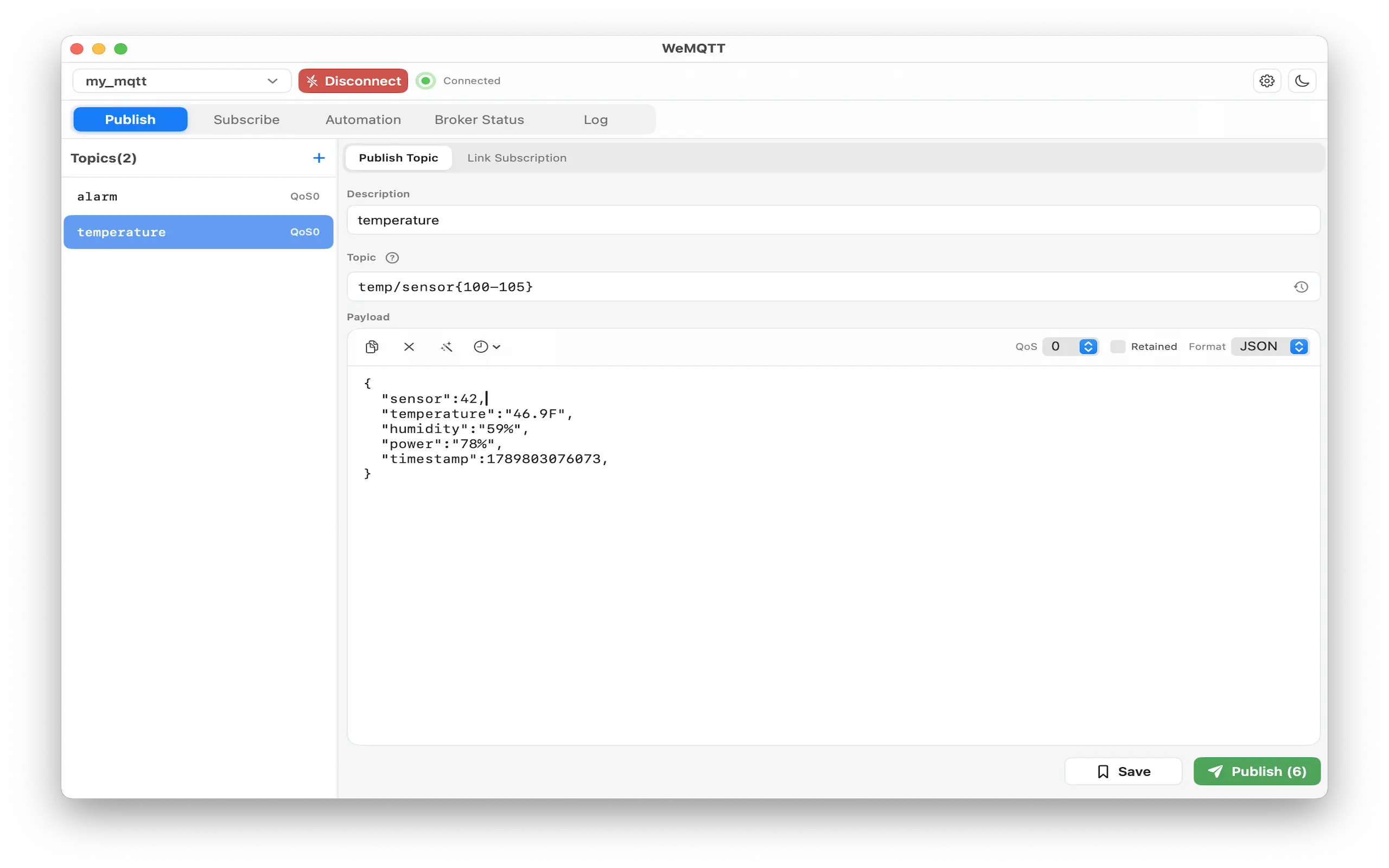
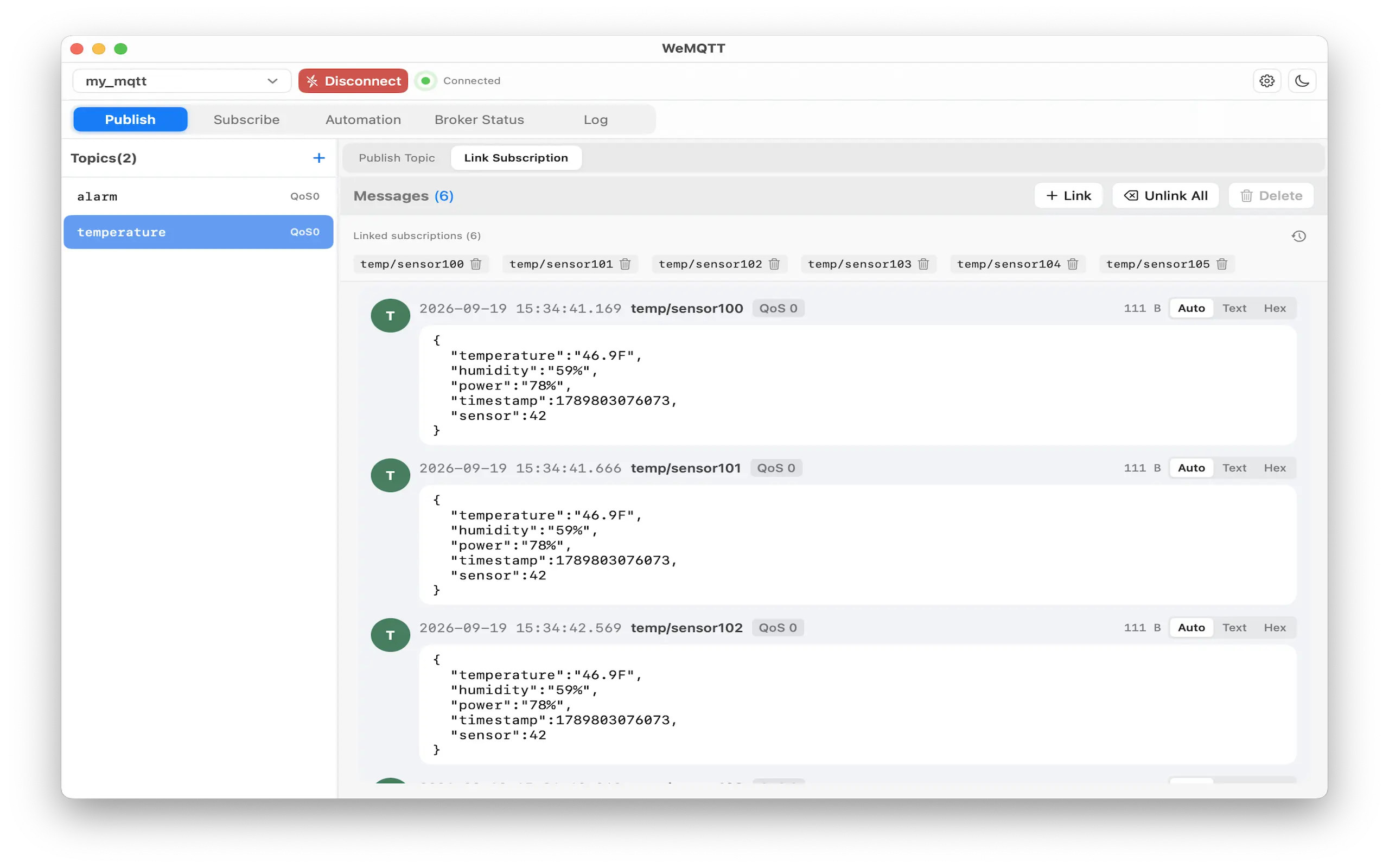
Expand topic patterns, choose QoS and retain, validate JSON or hex payloads, and link subscriptions for side-by-side verification.
PUB TEST/DEVICE/{A,B}/cmd
QoS 1 · retain off
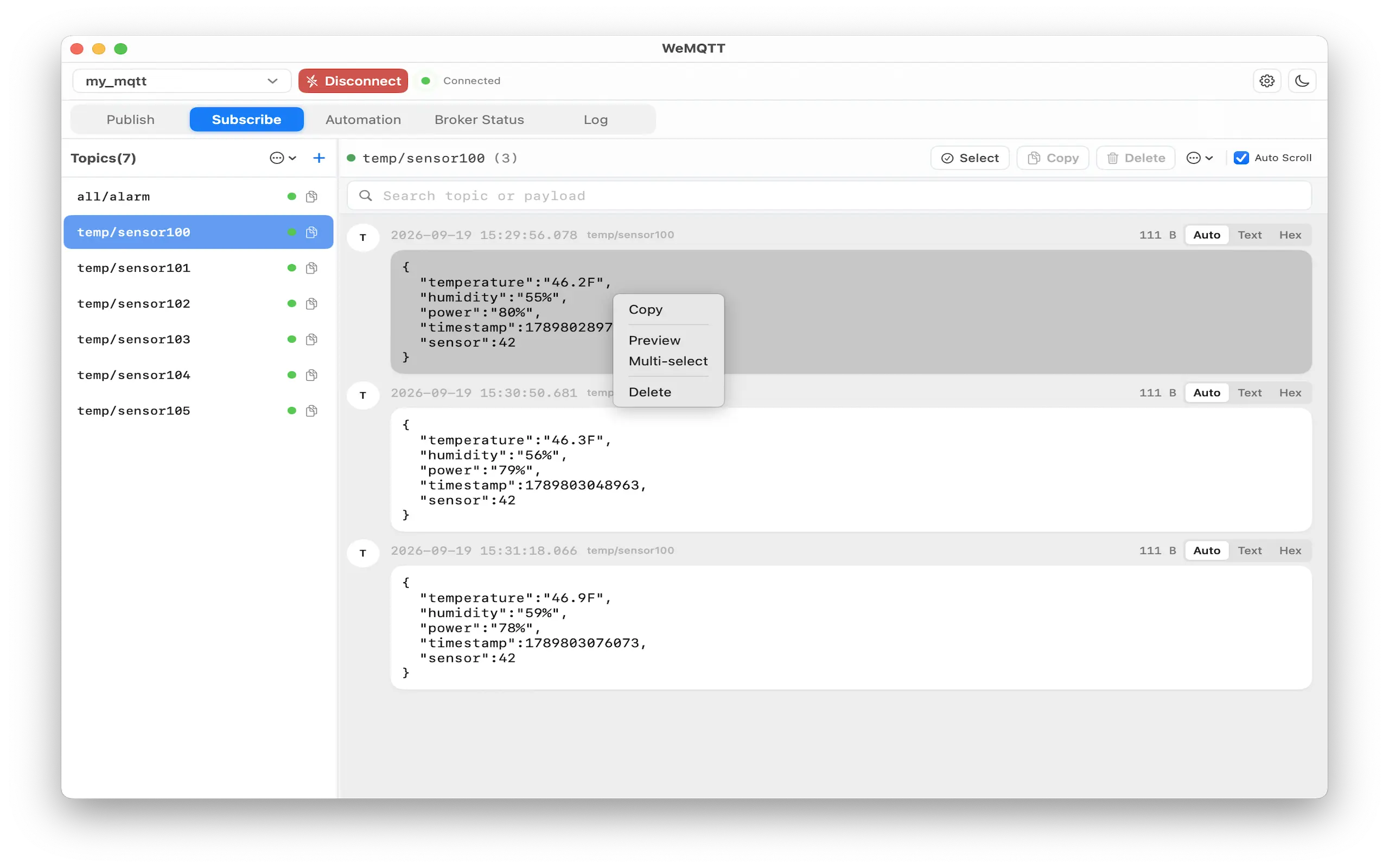
{ "action": "reboot" }Tree or list views, live message bubbles, search, multi-select cleanup, and export to JSON or CSV.
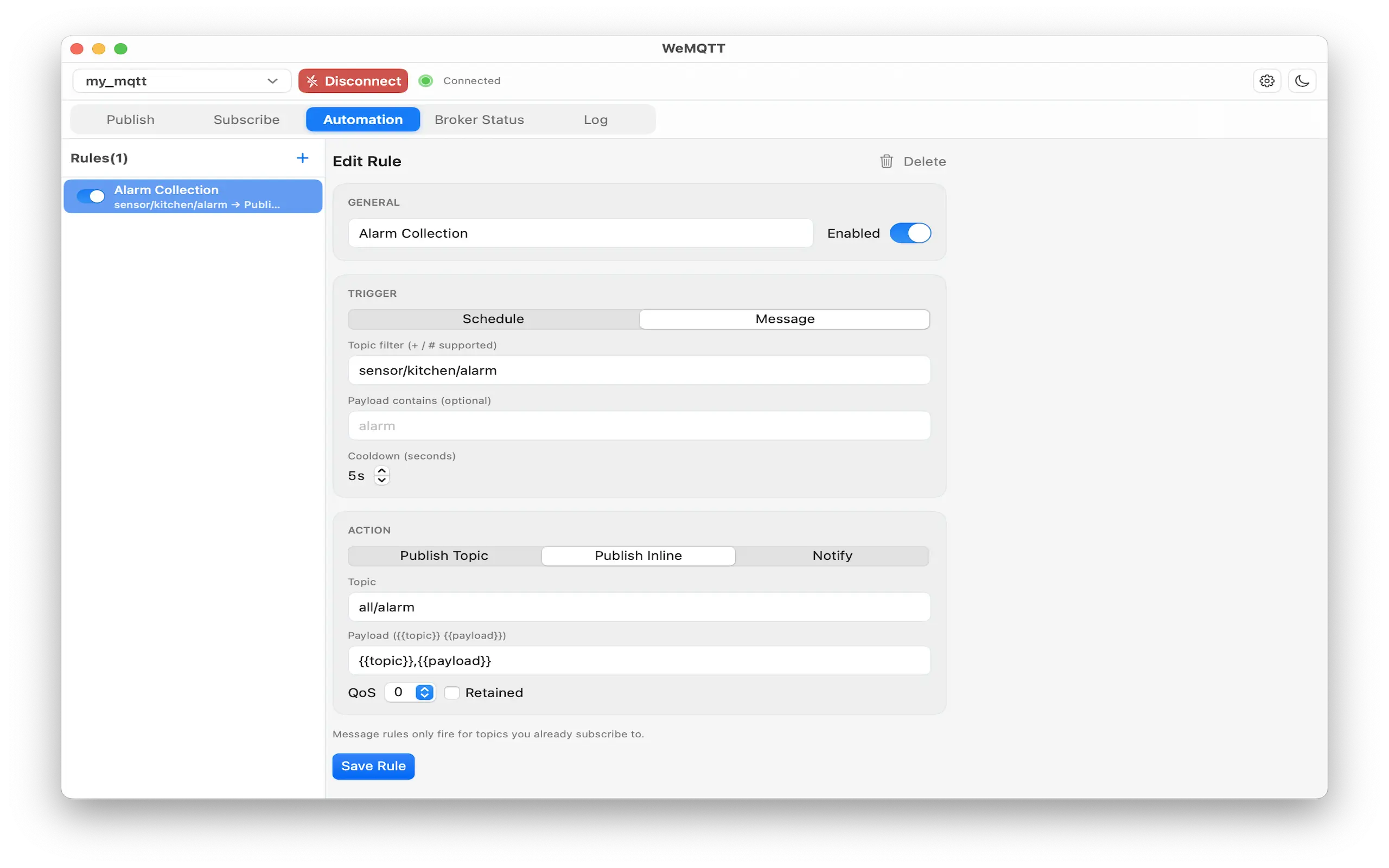
Schedule publishes or react to incoming topics so soak tests and demos keep running without babysitting.
Real app windows for publish, linked topic messages, subscribe traffic, and automation rules.
Save connection profiles with TLS options, watch connection events, then import or export a full scenario package for teammates.
WeMQTT ships as a buy-before-download Mac app with English and Simplified Chinese interfaces.
macOS 12.0 or later. Native SwiftUI window, not a web wrapper.
Developer Tools — MQTT clients, IoT labs, and field debugging.
English and 简体中文, switchable in Settings.
Download WeMQTT for macOS from the Mac App Store.